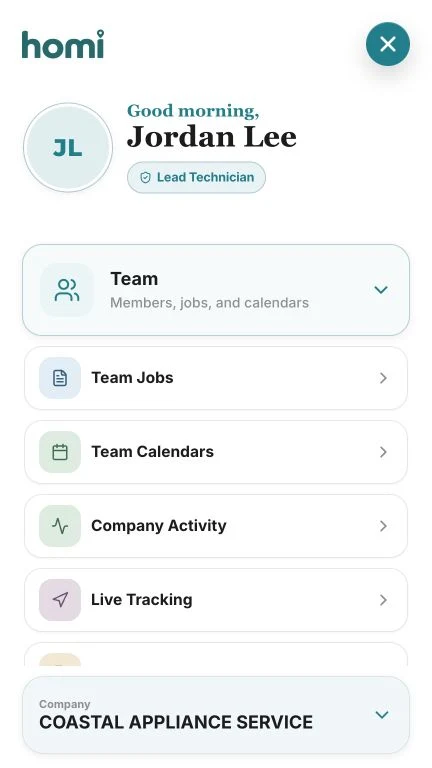
Team operation
A small team can work with the clarity of a larger company when everyone uses the same information, permissions are defined, and every job has a visible owner.
Define responsibilities before granting access
The administrator makes company decisions. Dispatch coordinates schedules and assignments. The technician performs and updates assigned jobs. If a technician also coordinates, that responsibility should be explicit.
Do not share one account between several people. Every member needs individual access so permissions, activity, and location belong to the person actually working.
- Administrator identified
- Dispatch has an individual account
- Technicians use individual access
- Shift owner defined
Centralize incoming work
If a request can remain in WhatsApp, a notebook, a personal phone, or someone’s memory, it will eventually be lost. Every new job should enter the same system with the customer, address, appliance, and next action.
The goal is not more forms. It is making sure coordination can see what arrived, who owns it, and what is needed to move forward.
Assign using capacity, area, and skill
Availability is only one part of the decision. Review location, appliance experience, required parts, and existing commitments. A good assignment reduces travel and avoidable second visits.
When a job changes technicians, preserve the same record and keep the reassignment history. Duplicating it creates two versions of the truth and makes follow-up harder.
- Available time
- Area and route
- Required skill
- Tools or parts
- Technician’s total workload
Agree on what technicians update in the field
Technicians should be able to see the customer, address, notes, and documents without calling the office. In return, coordination needs status, diagnosis, photos, payment, and any next step updated before the visit closes.
A short standard works better than demanding long notes. Define the minimum information that turns a completed job into useful history.
Recommended routine: before leaving the address, update status, result, document, and next action. Details are easier to forget afterward.
Manage exceptions instead of constant surveillance
A map or dashboard should help resolve delays, reassign an urgent call, and understand capacity. It should not become a reason to interrupt the technician for every movement.
At the end of the day, review pending work, warranties, difficult routes, and differences between the planned and actual schedule. Those exceptions show where the process can improve.
- Pending jobs have an owner
- Delays that need customer notice
- Warranties identified
- Routes with excessive time
- Jobs missing documentation
Scheduling, assignments, and location with clear permissions
Homi separates administrator, dispatch, and technician responsibilities so each person sees and updates what they need without sharing credentials.
- Individual account per member
- Visible job assignment
- Status and route follow-up
- Company activity history